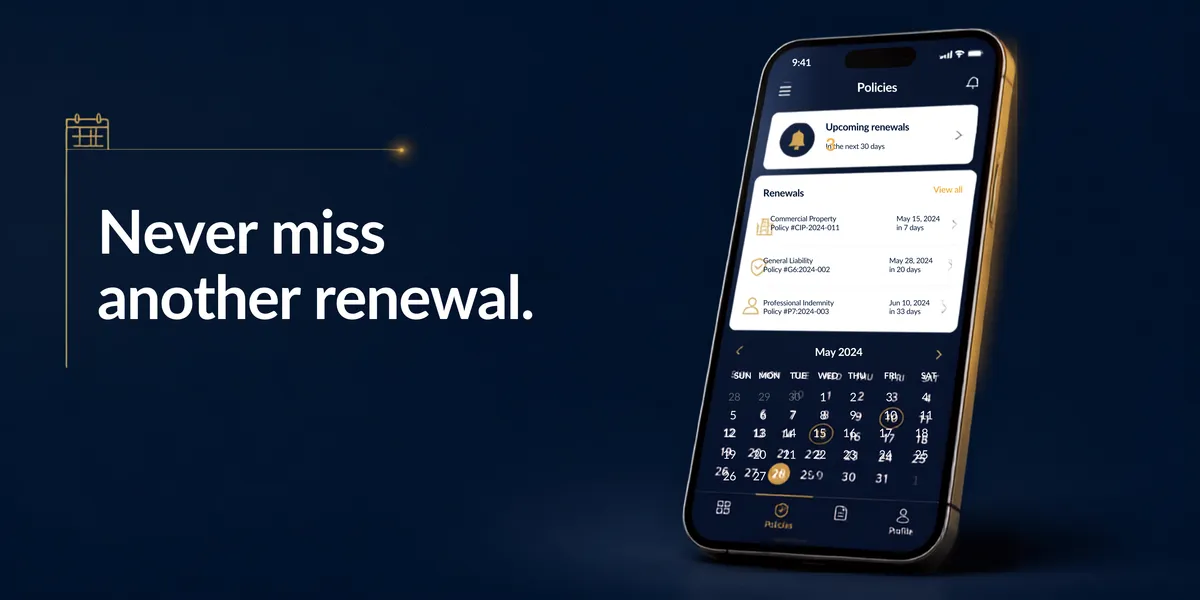
How to Automate Renewal Follow Up (Before Your Competitors Do)
How to Automate Renewal Follow Up (Before Your Competitors Do)
You know the feeling.
A client's policy is expiring in 30 days. You know you should reach out. You make a mental note. Then one morning you wake up to find they've already renewed with someone else.
Not because your service was bad. Not because your price was wrong.
Because your competitor reached out first. And they had a system.
Renewal follow-up is one of those things that works fine until it doesn't. And when it fails, it fails quietly. The client just disappears.
Why Manual Renewal Follow-Up Doesn't Work
Let's be honest. Spreadsheets and calendar reminders don't scale.
If you're managing 50 clients, 100 clients, 500 clients, you can't manually check each one's renewal date every week. Someone forgets. A policy gets missed. A client walks.
Even if you use a CRM and set a reminder for "call John on March 15," what actually happens?
March 15 comes. You're busy. You call John tomorrow instead. But John already got a call from your competitor yesterday.
One day late is already too late.
That's why the brokers winning right now aren't the ones with better service. They're the ones with systems that don't forget.
How to Set Up Automated Renewal Follow-Up (The Right Way)
Here's the step-by-step:
Step 1: Import your client list into a system that tracks dates
You need software that knows when each client's renewal date is coming up. A spreadsheet doesn't do this. Your email doesn't do this.
You need a CRM or automation platform that can look at your data and say: "John's policy renews on March 15. Today is March 1. Send a reminder."
This is the foundation. Everything else depends on this working automatically.
Step 2: Set up the first touch 60 days before renewal
60 days out, your system sends an automated email to you (not the client yet). It says: "Reminder: John Smith's policy renews on March 15. Contact him this week."
This gives you time to reach out personally. You're not being pushy. You're being thoughtful.
You call John. You ask how things are going. You remind him his renewal is coming up. You ask if anything's changed in his business that affects his coverage.
This is a human conversation. The system just made sure you didn't forget to have it.
Step 3: Set up an automated text 30 days before renewal
If John doesn't respond to your call, a text goes out automatically 30 days before his renewal date.
It's not aggressive. It's helpful:
"Hi John, this is [Your Name] from [Agency]. Your policy with us renews on March 15. If you need any changes before then, give us a call. Otherwise, we'll get your renewal sorted by then."
Short. Friendly. Clear.
Step 4: Email reminder 14 days before renewal
Another automated email. Slightly more direct:
"Hi John, 14 days until your renewal. Let us know if you want to make any changes, or we'll renew as is."
At this point, John has been touched three times (call, text, email). If he's going to switch providers, he's already thinking about it. This gives him a last chance to do it with you instead of a competitor.
Step 5: Final confirmation 3 days before renewal
One more automated message:
"Hi John, renewing your policy in 3 days. Confirm we have the right details."
This stops surprises. If John's email changed or his coverage details updated, he tells you now. Not after he's already renewed with someone else.
What This Looks Like in Practice
Imagine you manage 200 clients.
Without automation: You need to manually check 200 renewal dates every single week. You'll miss some. Clients will switch. You'll never know why.
With automation: Your system checks all 200 dates automatically. It sends touches at the right times. You only have to have actual conversations with clients who need them. Everyone else gets the reminders they need to stay with you.
Over a year, if you're closing even 10 more renewals because of this system, that's significant revenue you weren't getting before.
The One Thing Most Brokers Get Wrong
They wait until 14 days before renewal to start the follow-up.
By then, it's too late. Clients have already made their decision or already switched.
Start 60 days out. Give yourself time. Give the client time. Give your system time to work.
How to Actually Do This
You don't need complicated software. You need:
A CRM or automation platform that tracks renewal dates (most of them do)
A few automated messages set up once (takes a couple hours)
Time carved out to actually call clients when the system reminds you
That's it.
The upfront effort is small. The long-term payoff is significant because you stop losing clients you thought were yours.
What Now?
If you're losing clients to renewal dates you forgot about, this system stops that.
If you want to see exactly how it would work in your brokerage, let's talk. Book a 20-minute call and we'll map out which clients you've lost to poor renewal follow-up, and how much you'd keep if you had a system that didn't forget.
No sales pitch. Just a conversation about your specific situation.